Getting a 1998 game to run natively on Mac (part 2)
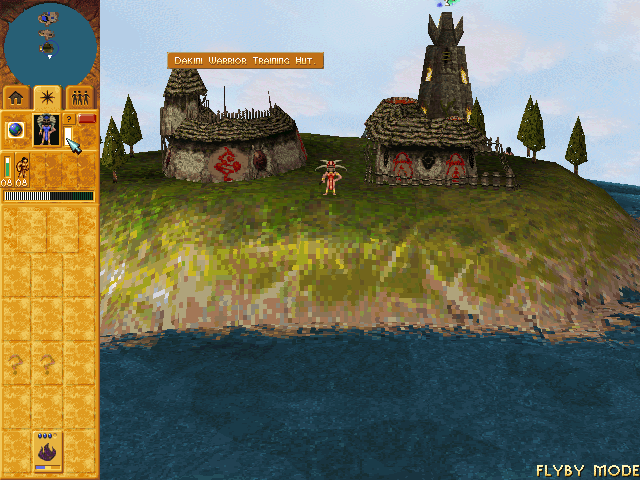
In part 1 I explained the general idea: take the Populous: The Beginning executable, translate all of its code to C in one go (recompilation), and rewrite the Windows bits the game uses so they work on Mac.
The menu showed up. But between the menu appearing and actually being able to play, there was a sequence of problems that I think is the most interesting part of the story. Each one is a little piece of how Windows (and a 1998 game) works under the hood.
Problem 1: the game froze waiting for itself
Right at the start, the game simply froze. No error, nothing.
What was going on: Populous uses threads. Think of threads as several people working inside the same program at the same time. One takes care of the screen, another listens to the keyboard, another the mouse.
To keep things simple, we had made a rule: only one thread works at a time, the others wait their turn. Except the main thread got stuck in a loop like "while the keyboard isn't ready, keep waiting", never yielding. And the keyboard thread never got a turn to become ready. Classic case of two people holding the door for each other.
The solution was to make the translated code "offer its turn" every time it went through a loop. Later on this caused another problem in the expansion: the threads were yielding so often that the game dropped to 3 frames per second. Then the rule became "only yield after having worked for at least 2 milliseconds". It's the same principle operating systems use to share the CPU between programs.
Problem 2: the game expected a 1998-era internet
The second crash was a curious one. Before even showing the menu, the game asked the network library which "connection providers" existed on the computer (internet, modem, local network). On Windows 98 there was always at least one. In our case, zero. And the game had never been tested on a computer without any, so it tried to read the first item of an empty list and crashed.
The fix was to pretend three providers exist. This kind of thing shows up a lot in projects like this: the game works in the real world because the real world always had certain things, and you only discover which ones when they're missing.
Problem 3: the mouse clicked in the wrong place
Populous's mouse doesn't use the system cursor position. It only reads movement: "the mouse moved 3 to the right and 2 up", and the game itself draws the little arrow. So we had to capture the mouse inside the window and send only the movements.
And there was one more gotcha: the game processes the click before processing the movement that came with it. So in automated tests, which moved and clicked at the same time, the click always landed in the old spot. With a real mouse this doesn't happen, because nobody moves and clicks in the same millisecond.
Problem 4: the videos came out black (and then almost right)
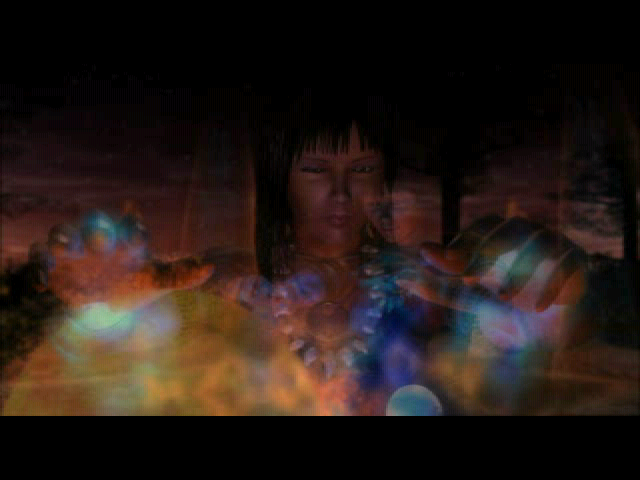
The game opens with videos (the Bullfrog logo, the shaman intro). At first they came out black. We found out that, for the videos, the game switches the screen to another color mode, 16-bit, which we didn't yet know how to display.
Once that was fixed, the videos showed up, but slow and with tiny wrong squares in the image. The slowness was because the video player uses sound as a clock: it only advances the frame when the audio advances. Without sound working, each frame waited almost half a second.
The wrong little squares were the hardest bug in the project. And this is where the part I like the most comes in.
How to find a bug in 6.3 million instructions
The video decoder executes over 6 million instructions for each frame. Somewhere in there, some translation was slightly off. Reading the code wasn't going to solve it.
The technique we used is called differential testing: run the same snippet in two places and compare.
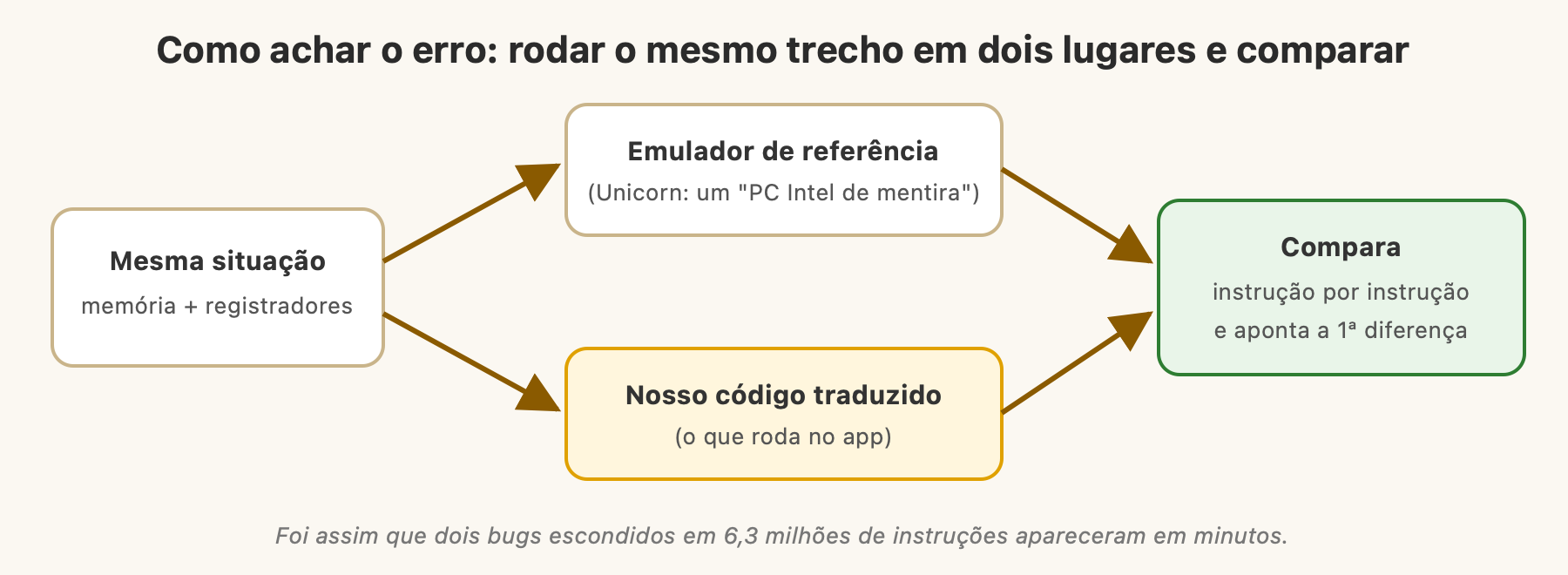
- The app takes a "snapshot" of all the game's memory right before decoding a frame.
- That same snapshot is loaded into Unicorn, an open-source Intel processor emulator, which serves as the reference ("this is how a real PC would do it").
- Both run the frame and start recording the state after each instruction.
- A tool compares the two lists and points to the first instruction where they diverge.
In the first run, the difference showed up at step 202,844: an "if less, jump" that was jumping differently. It was a bug in the translator in a comparison optimization. Once fixed, another difference appeared at step 5,126,457, this time in a calculation with decimal numbers. The old Intel processor has a precision mode that Windows configures in a specific way for every program, and we weren't reproducing that.
After the two fixes: 6,338,491 instructions identical to the reference. And the videos came out identical to the ones ffmpeg (a standard video tool) generates from the same files.
We also made a smaller version of this idea for the whole translator: each different instruction type the game uses runs thousands of times with random values in Unicorn and in our code, and the results have to match. This gives much more confidence than just "I opened the game and it looks okay".
Problem 5: sound
The game doesn't play sound directly. It uses a third-party 3D audio library, QMixer, which comes as a separate file. The first idea would be to rewrite QMixer. But then a better idea came up: if the recompiler translates the game, it also translates QMixer. So we recompiled the sound library together with it.
Except it refused to work. It has a hidden diagnostic mode that writes a log, and by enabling it we could see where it stopped. Two requirements: the computer needed to have at least one old-style Windows "audio device", and the sound system needed to support 3D positioning (sound coming from the left or right depending on where it is on screen). Once these two pieces were implemented, sound and music showed up.
The expansion as a bonus
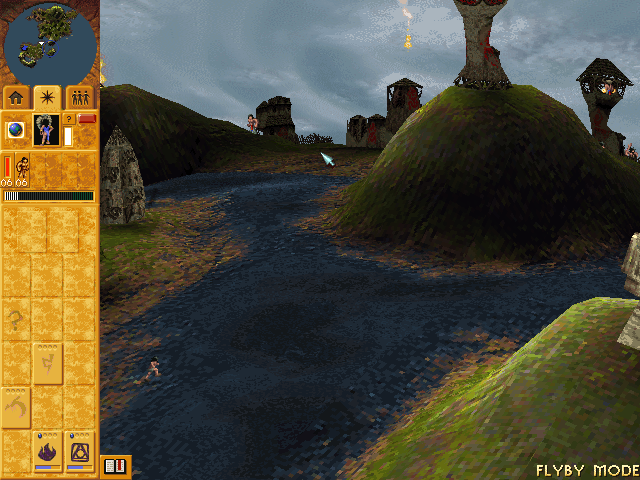
Populous has an expansion, Undiscovered Worlds, which comes in the same GOG package. Since the recompiler is generic, it was just a matter of pointing it to its executable. It worked practically on the first try, with the 12 new levels.
And multiplayer?
It got close. The game already lists connections, creates a match, and a second copy of the game on the same network sees it. But "joining the match" still doesn't quite work. Mac and Windows handle network connections differently in several small details, and each one needed a tweak. I decided to pause and focus on single player. What was discovered was documented for whoever wants to continue.
Opening up the project
In the end, I published everything on GitHub, under the MIT license: OpenPopTB-MacOS. Documentation in English, explaining how to use it, how to contribute, and everything we discovered about the game, with addresses and details, so no one has to rediscover it.
An important decision was about what not to publish. The finished app contains the translated game code, and that code belongs to EA. That's why the repository only has our code (the translator and the Windows bits) and not a single line of the game. Whoever wants to play needs to own the game: point to the game folder and the Mac itself generates the app.
It's different from OpenRCT2, which can distribute the finished app because it rewrote everything and has no original code inside. The next step for the project is to get close to that in terms of experience: an app to download that, the first time it opens, grabs the GOG installer, extracts and recompiles everything by itself, on the buyer's machine.
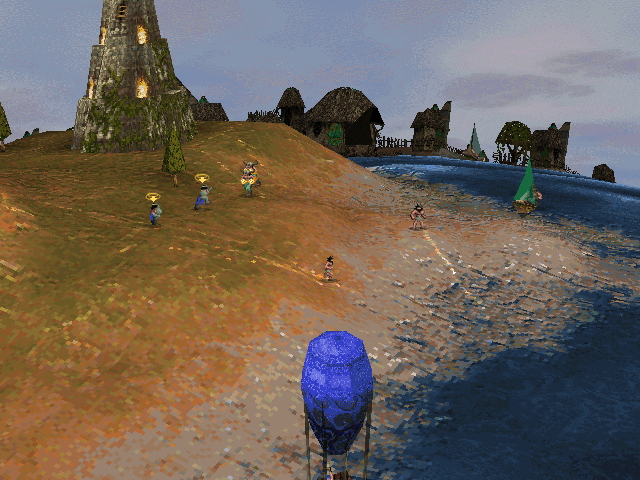
About doing this with an AI agent
It's worth talking about this because it's the part that caught my attention the most. I didn't write the translator or the code for the Windows bits. Who wrote it was Claude Code. But it wasn't one prompt and done either.
The role I played was a lot like a PM on a team: define the goal ("only stop when the port is done"), decide priorities (pause multiplayer, focus on single player), make trade-off decisions (whether to publish the binary or not, license, how to handle the legal question) and demand evidence. One example: the agent ran automated tests with screenshots and audio recording, so when it said something worked, you could see the proof.
What impressed me was the way it solved problems. When the approach of rewriting by hand proved too slow, it changed strategy. When a bug didn't show up from reading code, it built a tool to compare against a reference. This is much closer to how a good engineer works than I expected.
To sum up: the original game, in its entirety, runs natively on Mac, with sound, video, and expansion. The path to get there went through understanding things Windows does without anyone noticing, and through a very methodical way of finding bugs: compare against a trustworthy reference until you find the first difference. If you own the game and have a Mac with an Apple chip, the repository is open. And if you want to help with multiplayer or better graphics, even better.
Useful links
- Project repository: github.com/iagodemacedo/OpenPopTB-MacOS
- Unicorn Engine, the emulator used as reference
- Claude Code, the agent used in the project
- Populous: The Beginning on GOG


get new posts by email
one email when a new post is out, written in portuguese. no spam, unsubscribe anytime.