Making a 1998 Game Run Natively on a Mac (Part 1)

Populous: The Beginning is one of those games that marked my childhood. You are a shaman, command a tribe, cast spells that raise mountains, open volcanoes, and sink entire islands. It came out in 1998, for Windows, and you can still buy it on GOG today.
The problem: I use a Mac 90% of the time. And there's no Mac version.
You can run it with CrossOver or Wine, programs that "pretend" to be Windows. It works, more or less. But I was left with a question in my head: is it possible to turn the game into a real Mac app? A native app that opens with a click, with nothing in between?
Spoiler: it worked. And the most curious thing is how I got there. I did the whole project with Claude Code, since I can't code, and in this short series I'll try to explain the concepts behind it and what we did. Without going too deep, but also without pretending it was just a prompt and done.
Why doesn't a Windows game run on a Mac?
There are two reasons, and it's worth separating them.
The first is the processor. At its core, a program is a huge list of very simple instructions: "add these two numbers," "store this in this memory position," "if it's greater, jump to such-and-such place." Each processor family speaks a different "language" of instructions. Populous was written for 1998 Intel processors (the language is called x86, in the 32-bit version). Current Macs use Apple's own chips (M1, M2, M3...), which speak another language, called ARM.
Apple has a built-in translator, Rosetta 2, that converts Intel programs for the new chips. Except it doesn't translate 32-bit programs. And Populous is 32-bit.
The second reason is the operating system. The game doesn't talk to the hardware directly. It asks things of Windows: "open a window," "play this sound," "which key did the user press?" These Windows pieces (called APIs, and in the case of games from that era, the famous DirectX) simply don't exist in macOS.
So to run on a Mac we need to solve both things: translate the processor's language and replace the Windows pieces.
The three possible paths
When someone wants to bring an old game to a new platform, there are basically three ways.
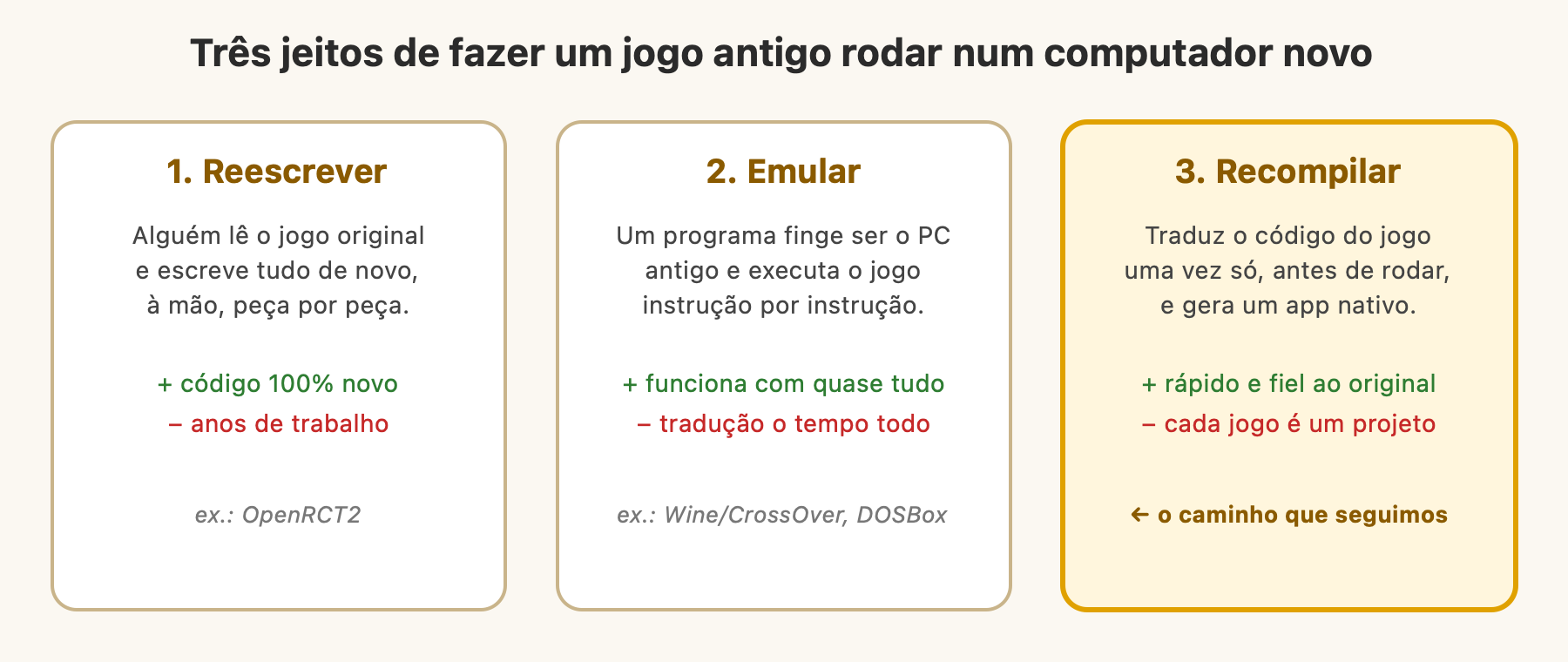
- Rewrite: someone studies the original game and writes everything again, from scratch. That's what OpenRCT2 did with RollerCoaster Tycoon 2. The result is incredible, but it took years of work from an entire community.
- Emulate: a program pretends to be the old computer and executes the game instruction by instruction, translating as it runs. That's what DOSBox does, and more or less what Wine/CrossOver does with the Windows pieces. It works with almost everything, but there's always a middleman running.
- Recompile: instead of translating while the game runs, translate the entire code once, beforehand, and generate a new program native to the platform. Think of the difference between an interpreter translating a conversation in real time and someone translating an entire book and having the Portuguese version printed.
This last path became famous in recent years with projects that brought Nintendo 64 games to PC with impressive results. And it was the path we took.
The first attempt (which didn't pan out)
Before recompilation, the first approach was OpenRCT2's: understand the game and rewrite the parts by hand. We used Ghidra, a free tool from the NSA (yes, that NSA) that takes an executable and tries to show its code in a readable way.
We managed to understand how the game stores the levels (a height map of 128 by 128 points, with the world wrapping around the edges, like a donut) and draw the terrain with the original textures.
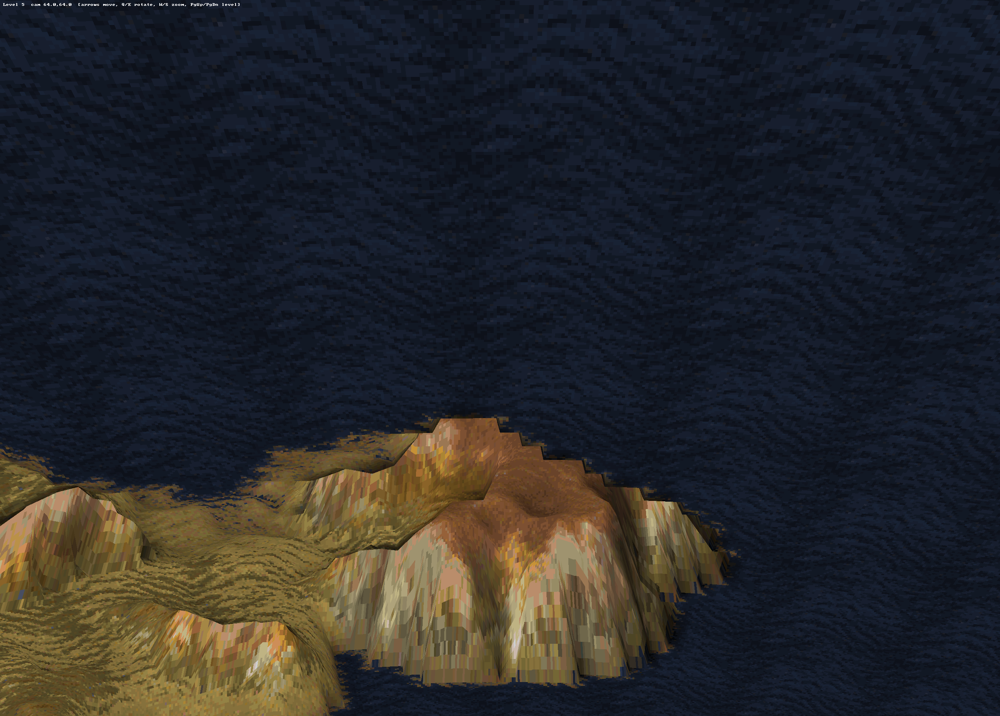
Nice, but looking at this you can see the size of the problem. It's just the ground. Everything was missing: the people, the buildings, the spells, the tribes' artificial intelligence, the sound, the menus, the videos. The game has close to 5 thousand functions. Rewriting them one by one would be one of those multi-year projects.
That's when we changed strategy.
How recompilation works
The idea is: instead of understanding each function, we translate all of them automatically. Breaking it into steps, it goes more or less like this:
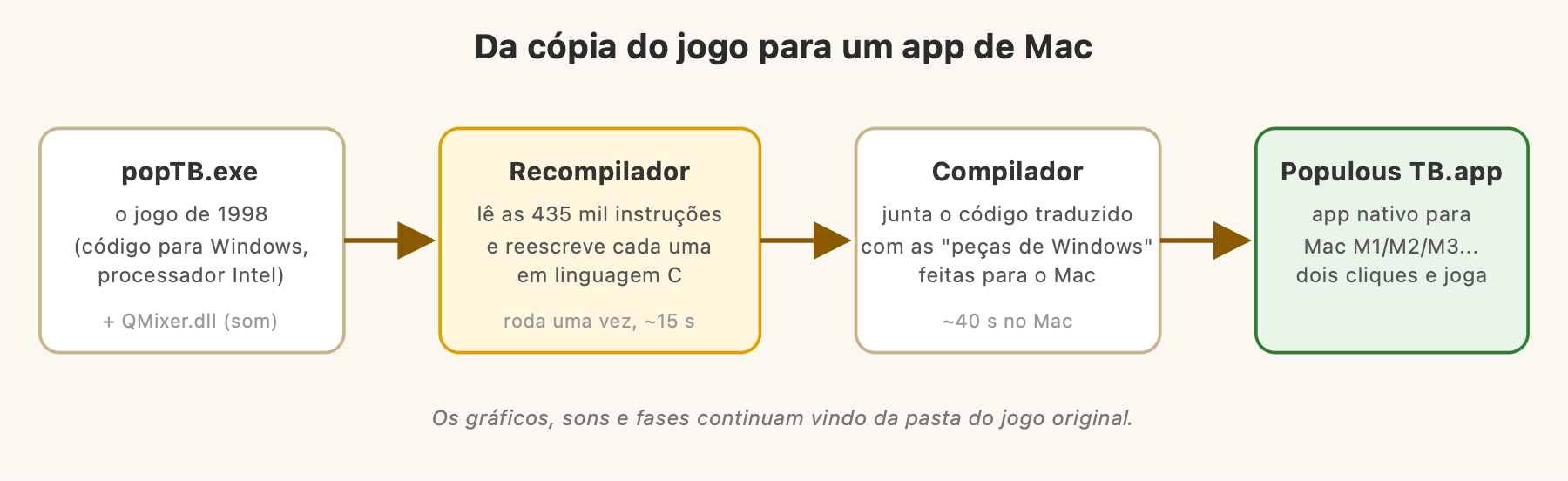
- Find where the code is. An executable mixes code with data (texts, tables, numbers). The first job is mapping what is an instruction and what isn't. The recompiler starts at the program's entry point and follows every possible path: every time it sees "jump to such-and-such place" or "call such-and-such function", it goes there and continues. In the end, it found 4,984 functions and about 435 thousand instructions.
- Translate each instruction to C. C is a "neutral" programming language that any computer knows how to compile. Each Intel instruction becomes a line of C that does exactly the same thing. An addition becomes an addition, a jump becomes a jump.
- Compile for the Mac. Apple's compiler takes that C and generates native code for the M chips. Here's a cool advantage: the modern compiler also optimizes the result.
Nobody reads the generated code. It's 31 MB of C that looks like it was written by a machine, because it was. The important thing is that the behavior is the same as the original.
And the Windows pieces?
Translating the processor's language solves half of it. The other half is those Windows pieces the game asks for all the time.
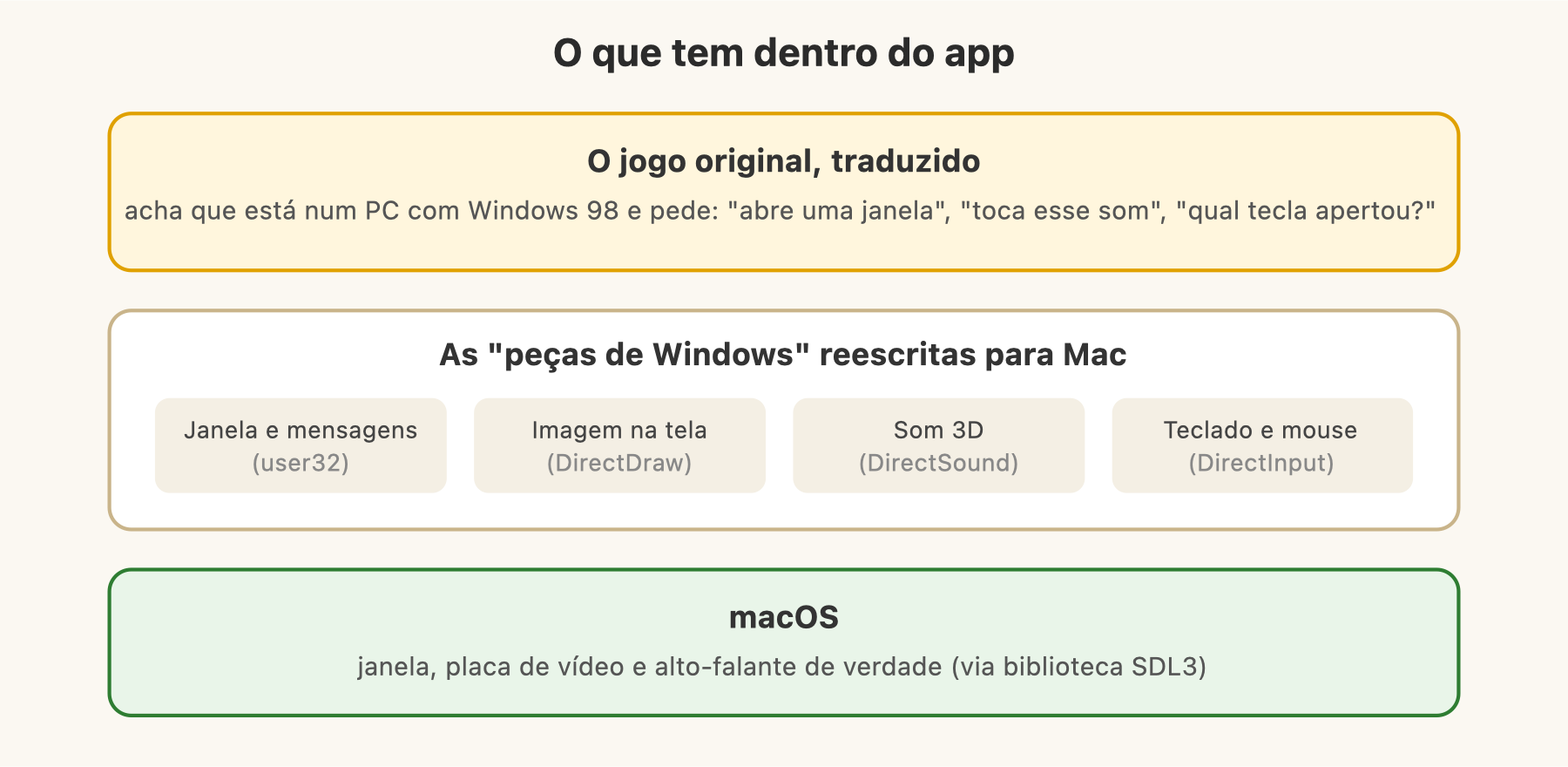
The translated game still thinks it's on a Windows 98 PC. When it asks "open a window", that call lands in our code that opens a Mac window. When it asks "play this sound", we play it on the Mac speaker. Several dozen of these pieces were rewritten: file management, window, image (DirectDraw), sound (DirectSound), keyboard and mouse (DirectInput).
To talk to the Mac we used SDL3, an open library widely used in games that already knows how to handle window, audio, and controls across several systems.
A detail I find elegant: no game data goes inside the app. The graphics, sounds, levels, and videos still come from the game folder you bought. The app just knows how to "talk" to them.
The first sign of life
The first time it ran, the game got pretty far into initialization and stopped asking for a piece that didn't exist yet (DirectDraw). That alone was great news: it meant thousands of translated instructions had run just fine up to that point.
A few pieces later, this showed up:
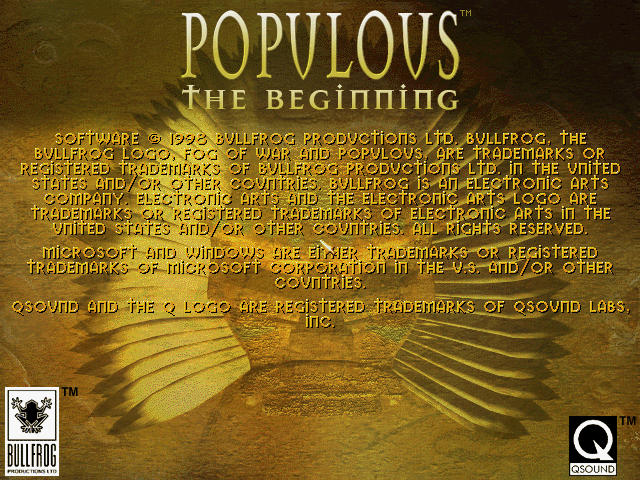
It may seem like little, but it's the original game drawing its own screen, pixel by pixel, running natively on a Mac. Right after came the main menu. And then the feeling was "okay, this is going to work".
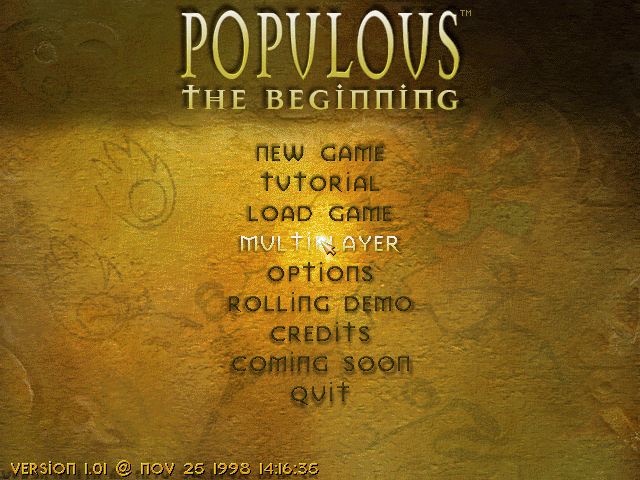
But "working" was still far away. The menu showed up, but the mouse didn't click where it should, the opening video came out black, there was no sound at all, and multiplayer mode crashed the game. Each of these problems ended up teaching something about how Windows works under the hood.
In part 2 I'll tell how we hunted these bugs (including one hidden among 6.3 million instructions), how we got sound and videos working, and how the project became an open repository on GitHub.
To sum up this first part: running an old game on a new computer is a two-layer problem, the processor's language and the operating system's pieces. Recompilation solves the first by translating everything at once, and the second we solve by rewriting only the Windows pieces the game uses. It's way less work than rewriting the whole game, and the result is the original game, whole, running as a Mac app.
Useful links
- Project repository: github.com/iagodemacedo/OpenPopTB-MacOS
- OpenRCT2, the classic example of rewriting a game
- Ghidra, the reverse engineering tool
- SDL, the library used to talk to the Mac